
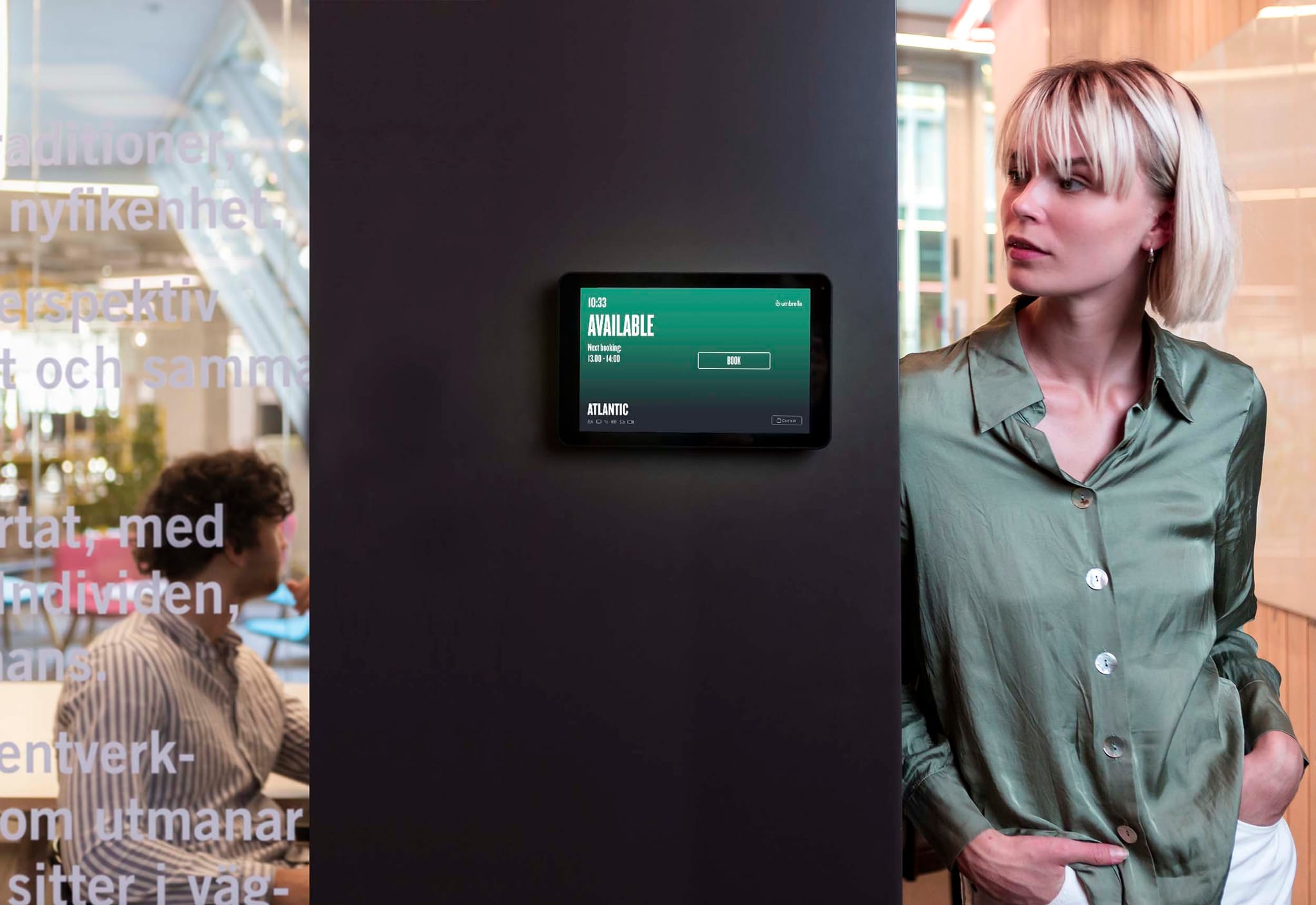
Meeting room booking is the process of helping employees find, reserve, and confirm the right room without guesswork. In a hybrid office, a dedicated meeting room booking system also helps reduce ghost bookings, improve room visibility, and make better use of the space you already have.
This guide explains what meeting room booking is, how it works in practice, when a shared calendar is no longer enough, and what companies should look for in a room booking setup.
What is a meeting room booking system?
A meeting room booking system is software that helps employees reserve available meeting rooms based on their needs. Instead of relying on manual coordination, shared spreadsheets, or guesswork, teams can book rooms through a digital interface and see what is free in real time.
In practice, a modern room booking setup often includes:
- a mobile app or web app for booking on the go
- calendar integrations
- room-specific displays outside meeting rooms
- a live overview of room availability
- check-in tools that release unused bookings
The goal is simple: make it easy to book the right room, reduce scheduling conflicts, and help the workplace run more smoothly.
Why meeting room booking matters in hybrid offices
In a traditional office, room demand was often easier to predict. In a hybrid office, attendance patterns shift throughout the week, teams come in on overlapping days, and the same room may need to support quick one-to-ones, project work, hybrid calls, and larger workshops.
Without a clear booking process, a few common problems appear quickly:
- double bookings and confusion around who has reserved a room
- ghost bookings where a room appears occupied but is actually empty
- meetings held in rooms that are too large or too small
- time lost walking around the office looking for space
- poor visibility into which rooms are actually used
That is why many companies move from basic calendar-only workflows to a dedicated Room Booking System. A stronger setup helps employees find suitable rooms faster while also giving workplace teams better control over the office.
When a shared calendar is no longer enough
A shared calendar can be enough for a small office with predictable room use. But once the office becomes more flexible, calendar-only booking often starts to break down.
Typical warning signs include:
- rooms look booked but are actually empty
- employees walk around looking for an available room
- people book spaces that are too large or too small for the meeting
- teams cannot tell room status from outside the space
- workplace managers lack reliable data on actual room use
If those problems sound familiar, it is usually a sign that the business needs more than a booking calendar. It needs a workflow that covers search, visibility, check-in, and follow-up data.
How meeting room booking works in practice
Most room booking systems follow the same basic flow. Employees search for a space, choose a room that matches their needs, make the booking, and then confirm or check in when the meeting starts.
What makes one system more useful than another is the quality of the workflow around that booking. For example, Flowscape's Room Booking System supports booking through the mobile app, web app, Outlook plugin, Room Displays, and Kiosk Screen touchpoints. That gives employees several ways to book a room depending on where they are and how quickly they need to act.
A strong process usually includes five steps:
- Search for a suitable room based on size, location, or other meeting needs.
- Book the room through the app, web, calendar workflow, or an in-office touchpoint.
- Confirm or check in when the meeting starts so unused bookings do not block the room.
- Use room status tools and navigation to find the space quickly and avoid confusion outside the room.
- Review usage patterns over time to understand which rooms are overused, underused, or frequently left empty.
The process often becomes more effective when the system can:
- show available rooms in real time
- rank suitable rooms based on meeting needs
- connect with existing calendars
- guide users to the booked room
- prompt check-in so unused rooms return to circulation
Those details reduce friction. They also make the system easier to adopt because the booking process fits into the workday instead of interrupting it.
What features to look for in meeting room booking software
Not every office needs the same level of complexity, but a few capabilities tend to matter across most hybrid workplaces.
- Simple booking from multiple touchpoints: people should be able to book rooms where they already work, whether that is in a mobile app, on the web, through Outlook, or directly outside the room.
- Real-time room visibility: employees need to see what is available now, not only what is booked in the calendar. This becomes especially important when plans change during the day.
- Check-in to reduce ghost meetings: if a room stays blocked without anyone showing up, other teams lose access to a resource that could have been used. Check-in workflows help solve that by releasing unconfirmed bookings.
- Room matching based on need: the best room is not always the first empty room. Teams may need a quiet space for focus, a larger room for workshops, or a room with the right setup for hybrid collaboration.
- Wayfinding and in-office visibility: booking a room is only part of the experience. Employees and visitors also need to find it quickly. Digital maps and live status tools make the office easier to navigate.
- Analytics for continuous improvement: a room booking system should also help workplace teams understand how rooms are used over time. When paired with analytics and sensor data, it becomes easier to improve room mix and office planning.
How to reduce ghost bookings and room friction
If you want a better booking experience, the first step is not always adding more rooms. Often, it is about making current rooms easier to use and easier to trust.
A few practical improvements usually make a big difference:
- Make room availability visible in real time.
- Add check-in rules so unused bookings do not block space.
- Standardize room naming so people can find the right room quickly.
- Use Room Displays outside meeting rooms for immediate visibility.
- Connect the booking flow to maps and navigation tools such as The FlowMap.
When these pieces work together, employees spend less time searching, less time second-guessing the booking status, and more time actually meeting.
How Flowscape supports meeting room booking
Flowscape's Room Booking System is built to support the full room journey, not just the reservation itself. Employees can book through the mobile app, web app, Outlook plugin, Room Displays, or Kiosk Screen interfaces. The system also supports calendar integrations across Microsoft and Google ecosystems, room ranking, check-in logic, fault reporting, and wayfinding.
For organizations that want stronger visibility in the office, Room Displays can show room status directly outside the space. For larger workplaces, The FlowMap can help users navigate to the room they booked. When the setup is combined with analytics and sensors, workplace teams can also understand room usage more clearly and improve planning over time.
If you are comparing options for meeting room booking or a broader conference room booking workflow, that end-to-end support is what turns a booking tool into a practical workplace system.
Final thoughts
Meeting room booking is not just an administrative task. It is part of the everyday workplace experience. When the process is clear, visible, and easy to trust, meetings start faster, room usage improves, and hybrid collaboration becomes easier to manage.
If your team is dealing with ghost bookings, unclear room availability, or too much friction around finding space, it may be time to look at how your current booking process actually works in practice.
Want to see how Flowscape supports room booking, check-in, room visibility, and workplace navigation? Request a demo.
FAQ
What is the difference between meeting room booking software and a shared calendar?
A shared calendar can show bookings, but meeting room booking software is built specifically to help users find, reserve, confirm, and manage rooms more efficiently. It often adds room displays, check-in, wayfinding, and better visibility into actual room use.
How do you prevent ghost bookings in meeting rooms?
The most effective method is a check-in process that releases bookings when no one arrives. Clear room visibility and room displays also help employees trust the status they see.
Can a room booking system integrate with Outlook or Google tools?
Many systems can. In the Flowscape source pack, Room Booking System supports integrations across Microsoft and Google ecosystems, which makes it easier to fit room booking into existing calendar workflows.
What should companies look for in a conference room booking system?
Start with ease of use, live availability, check-in, room matching, calendar integration, and clear navigation. The right setup should help both employees and workplace teams, not just create a digital reservation list.