
Most offices today look very different from what they did five years ago. With hybrid work now the norm for knowledge workers across industries, companies are rethinking how their physical space should be used and hot desking has become one of the most practical answers.
This guide covers everything you need to know: what hot desking is, how it differs from desk hoteling, the real benefits and challenges, how to build a policy that works, and how to implement it without disrupting your team.
What Is Hot Desking?
Hot desking is a workspace model where employees do not have an assigned desk. Instead, they take whatever desk is available when they arrive at the office. There is no booking required in advance, it works on a first-come, first-served basis. Desks are shared across the workforce, and the assumption is that not everyone will be in the office at the same time.
The term is widely believed to originate from the military practice of "hot racking", where submarine crews shared sleeping bunks in shifts to maximize use of limited space. The parallel to office life is clear: when desk utilisation is low because people are working from home part of the time, there is no reason to maintain one desk per employee.
Hot desking has since expanded beyond simple space efficiency. In modern hybrid offices, it is also used as a tool to break down departmental silos, foster cross-team collaboration, and create a more dynamic office culture.
Hot Desking vs Desk Hoteling vs Fixed Seating
These three terms are often used interchangeably, but they describe different models and choosing the right one matters.
Fixed seating is the traditional setup where each employee has one assigned desk. This is predictable and comfortable for employees but increasingly inefficient in a hybrid work environment. When people work from home two or three days a week, fixed desks sit empty for the majority of working hours.
Hot desking takes the opposite approach. Desks are never booked and employees claim a seat on arrival. This maximises space efficiency and encourages spontaneous interaction, but it requires good wayfinding tools and clear policies to work well in practice.
Desk hoteling sits between the two. Employees book desks in advance through an app or booking system, similar to reserving a hotel room. This gives the flexibility of shared desks while providing the predictability of knowing where you will sit. It works particularly well for teams who need to coordinate and sit together on specific project days.
In practice, most offices that implement hot desking use a combination of hot desks and bookable desks. Purely unmanaged hot desking without any software or booking capability tends to create frustration rather than flexibility.
Why Hot Desking Has Become the Hybrid Office Standard
The sharp rise of hybrid work has made the economics of fixed seating very difficult to justify. When an average employee works from home two days a week, each assigned desk sits empty 40% of the time. For companies paying significant per-square-metre rates in city-centre offices, that is a substantial cost with no corresponding benefit.
Hot desking addresses this directly. When desks are shared rather than assigned, a company with 100 employees who work hybrid schedules may only need 60 to 70 desks to comfortably accommodate everyone who comes in on any given day. This is known as applying a desk ratio, and it is one of the primary financial drivers behind hot desking adoption.
The space savings are real. Organisations that implement hot desking alongside a workplace analytics tool to monitor actual occupancy can often reduce their real estate footprint by 20 to 30%, with some reporting even higher savings after right-sizing their office over time.
Beyond cost, hot desking also changes how the office is used. When individual desks no longer anchor people to departments, the freed-up space can be repurposed for collaboration zones, project areas, quiet focus rooms, and workshop spaces. The office shifts from a place where individual work happens to a space designed for the kinds of work that are genuinely better done in person.
The Benefits of Hot Desking
When implemented with the right tools and policies, hot desking provides clear advantages for both organisations and employees.
Cost savings on real estate. Fewer desks means a smaller office footprint. For most organisations operating on a hybrid schedule, a well-managed hot desking setup can reduce facility costs by 20 to 30%.
Better use of office space. Instead of rows of empty assigned desks, space can be allocated to collaboration zones, creative areas, and meeting spaces that increase the overall value of coming to the office.
Cross-departmental collaboration. When people are no longer anchored to their team's corner of the office, they encounter colleagues they would not normally interact with. This increases the flow of ideas and strengthens relationships between teams.
Flexibility for employees. Employees can choose a desk that suits their task for the day, a quiet focus area for deep work, an open area near the kitchen for a morning that involves many short conversations, or a desk next to a specific colleague for a collaborative project.
Easier office management. With fewer fixed configurations to maintain and a booking system providing real-time occupancy data, facility managers gain a much clearer picture of how the space is actually being used.
Scalability. As headcount grows or shrinks, a hot desking setup is far easier to adjust than a fixed-seating layout. Adding or removing desks does not require re-assigning anyone.
Does Hot Desking Actually Improve Productivity?
This is one of the most common questions raised when hot desking is first proposed and the honest answer is: it depends on how it is implemented.
Hot desking does not automatically improve productivity. Employees who arrive at the office and spend the first 15 minutes hunting for a free desk, or who end up sitting in a noisy zone when they need to focus, will be less productive, not more. These are real problems, but they are problems of implementation, not inherent flaws in the concept itself.
When hot desking is supported by a desk booking system, clear wayfinding, and well-designed zones for different types of work, the picture changes. Employees can plan ahead, book a desk suited to what they need that day, sit next to the colleagues they need to collaborate with, and check in without any friction. In that environment, the flexibility of hot desking tends to support productivity rather than undermine it.
Research on hybrid working patterns consistently shows that employees value autonomy over their environment. The ability to choose where and how to work, including which desk to use and who to sit near is positively associated with motivation and output. Hot desking, done well, is one mechanism that enables that kind of autonomy in the office.
The key is to pilot before scaling. Starting with one floor or department allows you to identify friction points and resolve them before rolling out to the wider organisation. Getting employee input during and after the pilot makes it significantly more likely that the change will be embraced rather than resisted.
The Challenges of Hot Desking and How to Solve Them
Hot desking has a reputation in some circles for creating chaos. That reputation is mostly earned by implementations that were done without the right tools or policies. The most common challenges are all solvable.
Cooperation and teamwork
One of the most frequent concerns is that hot desking makes it harder for teams to sit together and collaborate. Without fixed seating, how does a team coordinate where they sit on a given day?
The solution is straightforward: use a desk booking system that includes team booking functionality. Managers can reserve a cluster of desks for their team in advance, ensuring that the people who need to work together can do so. This does not require reverting to fixed seating, it simply adds a planning layer on top of the hot desking setup. A Colleague Finder feature that shows where colleagues are sitting in real time also helps enormously, removing the need to walk the floor looking for someone.
Onboarding new employees
New employees often rely on proximity to their manager and team to learn, ask questions, and get up to speed. In a pure hot desking environment without any booking capability, there is no way to guarantee that a new hire will sit next to the people they need to be near.
Again, the answer is a bookable desk option within the hot desking setup. Managers can book desks in advance for their teams on days when the new employee is in the office, ensuring the right seating arrangement during the onboarding period. This can be relaxed over time as the employee becomes more established.
Spontaneous meetings and quick conversations
A concern often raised by managers is that hot desking makes it harder to have the informal, two-minute conversations that keep teams aligned. This is worth taking seriously, but it should also be put in context. In a hybrid work environment, the majority of brief exchanges already happen via messaging tools, quick calls, or video. The office visit tends to be more structured and purposeful. When employees come in specifically to work with their team, they are typically doing so with some advance coordination, which means the desk booking and planning tools are already doing much of the work.
Common areas and shared collaboration spaces remain important for spontaneous interaction, and designing the office to include them is part of getting hot desking right.
Hygiene and cleanliness
Shared desks accumulate use from multiple people across the day and week. Without clear guidelines, desks can become untidy and unhygienic, which is both unpleasant and potentially a health concern.
The solution is a clear desk policy combined with easy access to cleaning supplies. Employees should be expected to leave the desk completely clear when they leave, meaning no personal items, no paper piles, no food. Positioning antibacterial wipes and sanitiser at each workstation makes it easy to follow the standard. When occupancy data from workplace analytics tools is used to plan cleaning schedules, facilities teams can prioritise high-use areas and ensure a consistently clean environment.
Not enough desks of the right type
Different roles require different setups. Developers may need dual screens and specific hardware. Finance teams may need access to printers and files. Employees doing confidential work may need acoustic privacy. A hot desking setup that ignores these differences will create friction.
The way to address this is to design the office with zones that are equipped for different types of work, and to ensure your booking software allows employees to filter desks by equipment and location. Most mature desk management platforms support this, allowing someone to search for a desk with dual screens in a quiet zone, for example, and book accordingly.
Is Hot Desking Right for Your Office?
Hot desking is a strong fit for a wide range of organisations, but it is not universal. Understanding when it works well,and when it might not, is useful before deciding on implementation.
Hot desking works well when:
- A significant portion of employees work hybrid schedules and are not in the office every day
- The organisation wants to reduce its real estate footprint without reducing headcount
- Leadership wants to break down departmental silos and encourage cross-team interaction
- The office is large enough that employees are not already sitting close to all their colleagues
- The organisation is willing to invest in the software and hardware needed to manage the transition properly
Hot desking may not be the right fit when:
- The company is small (roughly 15 employees or fewer) and the cost of implementing booking software and re-equipping the office may not justify the space savings
- Specific teams have highly specialised equipment requirements that are difficult to replicate across shared desks
- The company culture is strongly oriented around individual ownership and employees are unlikely to adapt without significant change management effort
For most mid-sized to large organisations operating on hybrid schedules, hot desking represents a clear improvement over maintaining an office full of individually assigned but frequently empty desks. For smaller teams, a mixed model, including some hot desks, some fixed seating often works better than a full transition.
How to Create a Hot Desking Policy
A hot desking policy sets the ground rules that make shared desks work in practice. Without one, even well-intentioned employees will leave desks in different states, take personal items that get in others' way, or behave in ways that create friction.
A good policy does not need to be long. It needs to cover the key areas where ambiguity causes problems.
Desk etiquette: Employees should leave the desk exactly as they found it. No personal items should remain on the desk at the end of the day. Food and personal calls should be taken away from the shared workspace. These are simple standards, but stating them clearly prevents the passive-aggressive spiral that happens when they are left unspoken.
Booking rules: Define which desks are bookable in advance and which are available on a drop-in basis. Set any limits on how far in advance bookings can be made, and whether desks can be booked for multiple consecutive days. Consider whether certain zones should be restricted to specific teams or departments.
Equipment: Clarify what is provided at each desk (monitors, keyboards, docking stations) and what employees are expected to bring themselves (typically their laptop). Make sure employees know how to report faulty or missing equipment.
IT and connectivity: Shared desks must support hot-swap connections. Ensure that docking stations or USB-C hubs allow employees to connect their laptop and immediately access all peripherals without manual configuration. A stable wireless network that covers the entire office is essential.
Ergonomics: Provide adjustable chairs and sit-stand desks where possible. Employees should be encouraged to adjust the setup to their needs when they sit down and to return it to a neutral position before they leave.
Behaviour in shared spaces: Set expectations about noise, phone calls, and personal hygiene in an open environment. These topics can be uncomfortable to raise individually, which is exactly why a policy that covers them impersonally is valuable.
How to Implement Hot Desking: A Step-by-Step Approach
A phased approach to implementing hot desking significantly improves the likelihood of success. Companies that roll out the change across the entire office at once tend to encounter more resistance and more operational problems than those who test and refine first.
Step 1: Measure your actual office usage
Before making any changes, establish a baseline. How many desks are occupied on the average day? Which days are busiest? Which zones are underused? Occupancy sensors and workplace analytics tools make this straightforward, providing data by day, floor, and zone. Without this data, decisions about how many desks to keep and how to configure zones are guesswork. With it, you can make the case for the transition internally and set a realistic desk ratio.
Step 2: Define which desks will be hot, bookable, or fixed
Not every desk in every office needs to become a hot desk. Start by identifying which roles or teams would benefit most from flexibility, typically employees who are in the office fewer than three days per week. For teams with specialised equipment needs or strong collaboration dependencies, a bookable desk model may work better than pure hot desking. Some employees may retain fixed seating permanently, and that is a reasonable outcome if it enables the rest of the office to adopt a flexible model.
Step 3: Choose the right tools and hardware
A well-functioning hot desking setup requires three things: a way for employees to find and book desks, a way to show which desks are occupied in real time, and a way to gather data on how the space is being used.
Flowscape's Desk Management solution covers all three. Employees can book desks through the mobile app or web application, with the option to filter by zone, equipment, and availability. The FlowMap provides a 3D real-time view of the office, showing which desks are free (green), occupied (red), or booked. Desk Presence Sensors detect when a desk is in use and update the map automatically. The Automatic Desk Check-in USB sensor eliminates ghost bookings by releasing desks automatically when an employee does not show up. FlowAnalytics then provides the occupancy data needed to optimize the setup over time.
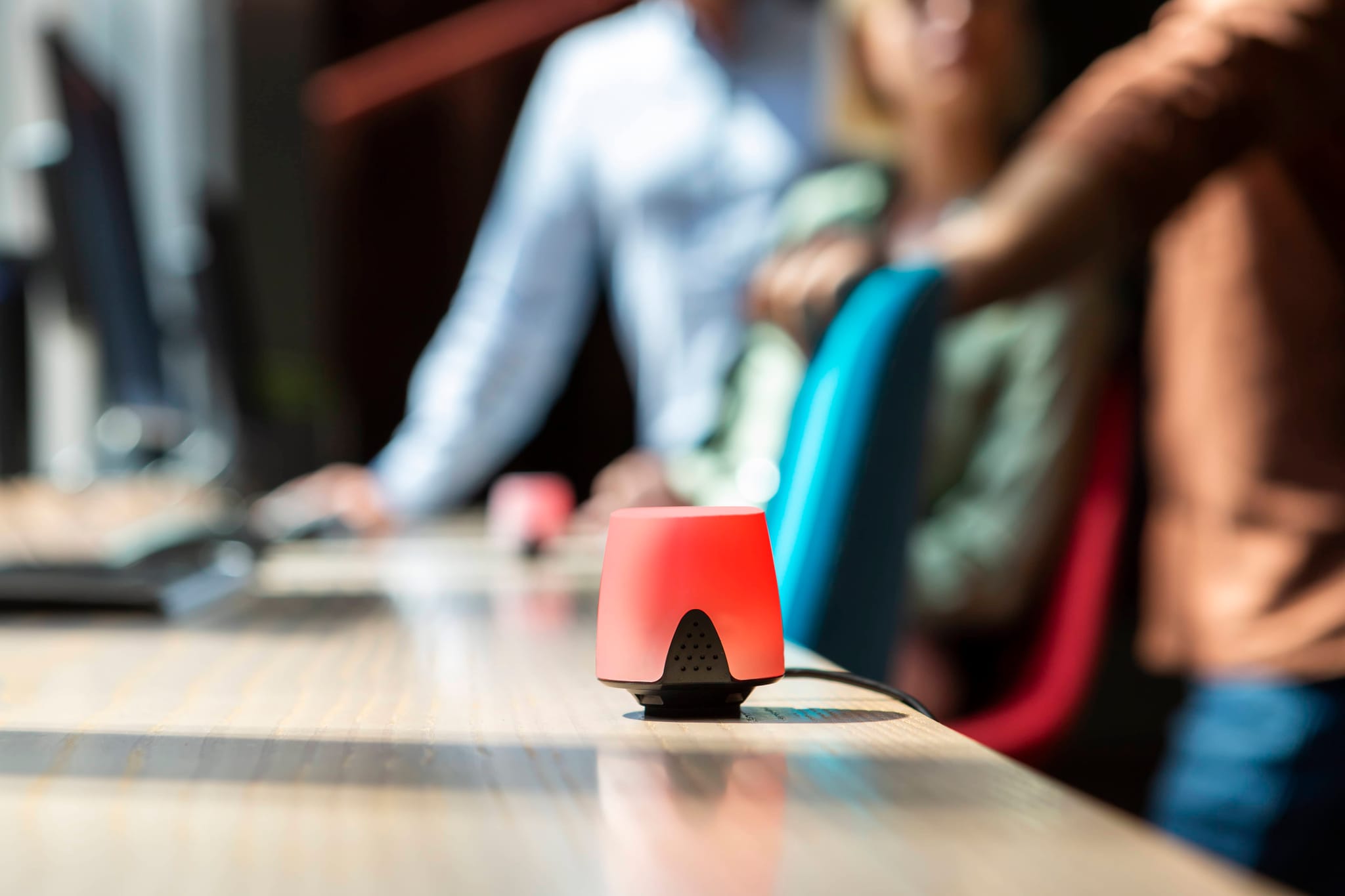
For drop-in areas, Busy Lights mounted at desk level give employees an at-a-glance view of availability from across the floor. Kiosk Screens at office entrances or high-traffic areas show the FlowMap at a glance, making it easy for employees to orient themselves when they arrive.
Step 4: Run a pilot before full rollout
Choose one floor, one team, or one zone for the initial rollout. Set a clear pilot period, typically eight to twelve weeks, with defined metrics: desk utilisation rate, employee satisfaction, ghost booking frequency. Use the data to identify what works and what needs adjustment before extending the programme.
Common things to discover during a pilot: the desk ratio was set too aggressively and employees sometimes cannot find a seat; certain zones are too noisy for focused work; employees are not cancelling bookings when plans change, creating ghost bookings that require the auto-release function to be configured. All of these are solvable. Discovering them on a small scale before full rollout is far better than discovering them at scale.
Step 5: Communicate early and involve employees
Change management is often the deciding factor in whether a hot desking implementation succeeds or fails. Employees who feel that a change is being done to them, rather than with them, will resist it even if the change is objectively beneficial.
Communicate the rationale clearly and early. Explain what is changing, why, and what the expected benefits are for employees, not just for the organisation. Share the occupancy data that drives the decision. Most employees accept a change more readily when they understand the reasoning behind it. Invite feedback during the pilot, and demonstrate that feedback is acted on. Where there are legitimate concerns, from specific teams with specialised needs, for example, address them directly with a tailored solution rather than a blanket response.
How Flowscape Supports Hot Desking
Flowscape provides a complete Desk Management solution designed specifically for hybrid offices. The platform covers the full hot desking workflow: finding a desk, booking it, checking in, locating colleagues, and reporting issues, all from a single mobile app, web application, or directly from the FlowMap.
The 3D FlowMap gives employees and facility managers a real-time overview of the entire office. Desks are colour-coded by availability, updated live via sensors, and searchable by equipment, zone, and location. Employees can book desks for the day or by the hour, check their upcoming bookings at a glance, and use the Wayfinder to navigate directly to their reserved desk.
For facility managers, our workplace analytics tool FlowAnalytics provides detailed utilisation reports by building, floor, and zone. Ghost bookings are identified automatically by comparing booking data against actual sensor occupancy. The built-in ROI calculator allows managers to simulate future office space needs based on real usage data, making the case for right-sizing the office much simpler.
Flowscape's hardware integrates directly with the platform. The Automatic Desk Check-in USB sensor eliminates manual check-in entirely: when an employee docks their laptop, the booking is confirmed automatically. If no one shows up, the desk is released after a configurable grace period. Busy Lights provide visual desk availability at a glance. Desk Presence Sensors track actual occupancy and feed directly into the analytics dashboard.
The entire solution, software and hardware, can be deployed in days. Sensors are wireless and battery-powered, requiring no cabling or significant installation work.
Request a demo to see the solution in action.
FAQ: Hot Desking
What is hot desking?
Hot desking is a workspace model where employees do not have assigned desks. Instead, they take any available desk when they arrive at the office. Desks are shared across the team, with the assumption that not everyone will be in at the same time. It is widely used in hybrid offices to reduce real estate costs and encourage cross-team collaboration.
What is the difference between hot desking and desk hoteling?
Hot desking is ad-hoc, employees take whatever desk is free on arrival, with no advance booking. Desk hoteling allows employees to book desks in advance through an app or booking system, similar to reserving a hotel room. Most modern hybrid offices use a combination of both, depending on the zone and the team's needs.
Does hot desking improve productivity?
Hot desking can improve productivity when implemented with the right tools and policies. The key enablers are a desk booking system that makes it easy to find and reserve the right desk, good wayfinding to reduce time wasted searching, and well-designed zones for different types of work. Without these, hot desking can create friction that undermines productivity.
What should a hot desking policy include?
A hot desking policy should cover desk etiquette (clear desk rule, no personal items left behind), booking rules (advance booking limits, zone restrictions), equipment standards, IT and connectivity expectations, ergonomics, and expected behaviour in shared spaces. It should be short, practical, and communicated clearly before implementation.
How many desks do I need for hot desking?
The right desk ratio depends on your actual office utilisation. A common starting point for hybrid offices is 0.6 to 0.8 desks per employee, meaning a team of 100 needs between 60 and 80 desks. The best way to set this accurately is to measure real occupancy over several weeks before making the change. Workplace analytics tools can provide this data at a granular level.
What technology do I need for hot desking to work?
At a minimum: a desk booking system that shows availability in real time, and some way for employees to find their colleagues. In practice, a mature setup includes a mobile booking app, a 3D office map, desk presence sensors, an automatic check-in mechanism to eliminate ghost bookings, and a workplace analytics dashboard to monitor utilisation. Kiosk Screens and Busy Lights add wayfinding and visibility at the physical level.
When is hot desking not the right fit?
Hot desking is less suitable for very small teams (roughly 15 or fewer employees), where the investment in tools and office reconfiguration may not justify the space savings. It can also create challenges for teams with highly specialised equipment needs or strong requirements for consistent proximity. A mixed model with some hot desks, some bookable desks, some fixed seating works often better in those cases.
Read More
- Desk Management Solution
- Workplace Analytics – FlowAnalytics
- The FlowMap
- Automatic Desk Check-in
- Sensors for the Hybrid Office
- The Hybrid Work Model
Flowscape Solutions helps organisations of all sizes build smarter hybrid offices. Our software and hardware platform manages desk booking, room booking, parking, visitor management, and workplace analytics, all from a single, intuitive interface. Get in touch to learn how we can help you right-size your office and make hybrid work frictionless.